Posts

Showing posts with the label apk download

Instructions for installing ATV apk to firestick.

Image
 We have already update new version ATV apk download link for firestick installation. Now with new link, customers could input download link by Download app to insall directly. And there is other solutions for the zip format, too. Need to install ES file Explorer first, then find the zip format and click to rename the file to apk format. Then you will have apk installed successfully. Or could open download link with ES File Explorer and click to install the apk directly. WhatsApp: +86 176 8876 8267  3 days free trial code!

How to download iview hd apk on Firestick?

Image
First of all, you need to install 2 apps on your firestick; 1. Downloader; 2. ES File Explorer.  PS: When you insall ES File Explorer, dont select FREE TRIAL, just press the back button on remote control. And then, go to the Settings – My Fire TV – EEVELOPER OPTIONS - ADB Debugging – ON – Apps from Unknown Sources – Turn On Third, go back to the downloader apps, enter the URL. Such as: iview HD: https://iviewhdtv.com/download/ If you want to download more apps, enter this URL: https://iptvintvbox.com/download/

How to Get Detail Channel Lists of Best HD IPTV?

Image
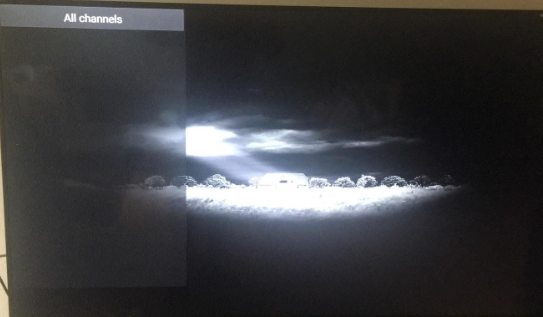
Sometimes, we meet the situation that there is no channel list after log in username and password with Best HD apk, just got blank screen like picture below: For this situation, first of all, we need to check and confirm that we input the right username and password. Next, click OK button on remote control to refresh the page; Then we will get detail channel lists. And could also click the right button to check detail channel group; For detail information or further question, please contact us: WhatsApp/Viber/WeChat: +8617688768267

How to install iview hd app on android tv box with USB flash disk?

Image
Normally the apk download link is too complicated, so we can open and download it on computer first, then install it on android tv box with USB flash disk. 1. prepare a USB flash disk; 2. Connect it to your computer, then input the link to download it on your USB flash disk; 3. Then connect USB flash disk with your android box, 4. Click My Apps- choose FileBrowser to find the apk file just donwloaded; 5. Click the apk file to install it. Contact by whatsapp:  +8617688768267 for more information.