Posts

Showing posts with the label best hd apk

11 tips for you to get Best HD Movies & TV Channels.

Best HD iptv FAQs: 1. What device Best HD iptv supports? Best HD iptv supports android box, Samsamg/LG smart tv, mag box, android smart phone/pad, iPhone/iPad. 2. Can use Best HD more than one device? Yes, Best HD can change device, but cannot use at same time. 3. Is there country limited for Best HD iptv? Yes, Best HD iptv cannot use in Egypt, Morocco and Algeria. 4. Does Best HD iptv offer free trial to try first? Yes, we offer free trial for 2 days. 5. Channels stop while watching with test code, why? Its set for test code, wont have this situation for subscription code. 6. What to do when cannot log in Best HD account? A. Check your account, confirm input right username and password. B. Check your internet, restart internet router to try again. C. If still cannot log in, contact us directly please. 7. Just black screen, no channel list after login, why? Click Menu button on remote control, to refresh the page, then you will get channel list. 8. Channel can...

Best HD | Favorite Channels Collection Tutorial

Image
Best HD iptv  is available with thousands of channels all over Europeans, so that we could collect famous channels to Favorites list. 1. Choose one channel, click Menu button, then click Add to Favorites. 2. Then could click Show Favorites to check the list. 3. If you don't like the channel, could also remove it from Favorite list; We offer free apk download, as well as free trial code, please contact for more information: WhatsApp/Viber/WeChat: +8617688768267

How to Get Detail Channel Lists of Best HD IPTV?

Image
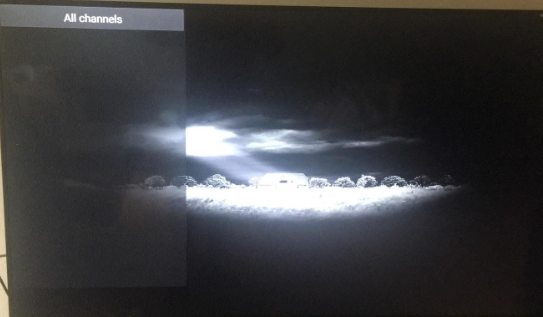
Sometimes, we meet the situation that there is no channel list after log in username and password with Best HD apk, just got blank screen like picture below: For this situation, first of all, we need to check and confirm that we input the right username and password. Next, click OK button on remote control to refresh the page; Then we will get detail channel lists. And could also click the right button to check detail channel group; For detail information or further question, please contact us: WhatsApp/Viber/WeChat: +8617688768267

How to switch the decoding modes of Best HD iptv?

Image
Sometimes we have problem with IPTV, like picture image not that clear, channels buffering. To solve that problem, we could try to switch the decoding modes first. Here is the tutorial of Best HD iptv : 1. Click setting; 2. Choose Playback; 3. Choose  HW decoder ,to switch decoding modes; For detail information, please contact: Email:  info@apkintvbox.com Skype: apkintvbox WhatsApp/Viber/WeChat: +8617688768267