Posts

Showing posts with the label rk3566 android

X96 X6 Android Box LED Display Time Format

Image
Have you noticed that the X96 X6 rk3566 android 11 tv box LED display 24hours time format only?  X96 X6 tv box LED display only shows time with 24hours format, cause there is no AM/PM sign to distinguish.  When you choose 24hours time format by tv box Setting page, the tv screen will show time in 24hours time format, if dont choose, the tv screen time will be 12hours format. Meanwhile, X96 X6 android box LED display time format will always be 24hours format. Feel free to contact us to learn more parameters about the X96 X6 RK3566 android 11 tv box if you like it. WhatsApp: +86 176 8876 8267 Email: info@apkintvbox.com

X96 X6 Tv Box RK3566 CPU Antutu Benchmark Test Score

Image
X96 series android tv box has released new version X96 X6 with android 11 OS, rockchip rk3566 chip Quad-core CPU, and performs pretty good with Antutu Benchmark test.  X96 X6 tv box hardware specifications: OS: Android 11.0 CPU: Rockchi Rk3566 Box Quad-core Cortex-A55 64-bit. GPU: Mali-G52 MP1 Clock speed: 408-1800 MHz Vulkan: 1.1 Extensions: 100 Dual wifi: 2.4G/5G external antenna Bluetooth: V4.X X96 X6 antutu benchmark test score: Antutu – 134372 Wi-Fi – 100% on 5GHZ Band | 2.4GHz 50% LAN – 100% 1000 Mbps

How to Find H96 Max RK3566 Tv Box Mac Address/ SN?

Image
The newest android 11 tv box  H96 Max RK3566  doesnt have SN / Max address sticker on the behind of STB, so where do we find it? Connect H96 Max RK3566 android box with tv, and then go to Setting page; Click Device Preferances, go to next page, and click About; Then click Status, go to next page, you will get the MAC address, S/N information about H96 Max RK3566 tv box; Note, the IP address will be available when you connect internet with H96 Max 3566 android tv box. 

X88 Pro 20 RK3566 Android 11 TV Box Antutu Benchmark Score

Image
For the newest android 11 os tv box that equips with Rockchip RK3566 CPU, X88 Pro 20 tv box performs very well with Antutu Benchmark.  X88 Pro 20 tv box hardware specifications: CPU: Rockchip RK3566 Quad-core 1,8Ghz GPU: ARM Mali G52 open GL ES3.2 RAM: DDR4 4GB/8GB DDR3 ROM: 32GB/64GB/128GB Wifi: 2.4G/5G Dual wifi Bluetooth 4.2 Antutu Benchmark Results: Antutu – 104,156 Geekbench 4 – 746 Single-Core | 1,975 Multicore Ice Storm Extreme – 7,458 Slingshot – 770 SlingShot Extreme Vulkan – 535 RAM Copy – 3,778MB/s Internal Storage – 153 MB/s read | 147 MB/s write Wi-Fi – 100% on 5GHZ Band | 2.4GHz 50% LAN – 100% 1000 Mbps

How to Update H96 Max RK3566 TV Box Firmware by USB file?

Image
Now the H96 Max RK3566 tv box has released new firmware updating to fix some bugs. And its easy to do it with USB directly. First and most important, reset the USB flash disk to be [ FAT mode], then download the h96 max rk3566 tv box new firmware file to USB. (dont do any changes about the file). Connect tv with h96 max 3566 tv box and turn it on, then connect USB with the tv box, that will identify the firmware file automatically. Click  Install  to update new firmware for tv box h96 max rk3566.  After the box reboot and updating firmware, the tv screen will turn black for about 7 minutes, and the box shows BOOT, instead of time.  When H96 Max RK3566 tv box finished firmware updating, the tv will restart itself, and the box will show time again. Then we can check Setting page about tv box information, the tv box firmware already updates to latest version.  Note, if the box already shows time after waiting around 7 minutes, but the tv screen still shows black, ...

T95plus Android 11 RK3566 Tv Box Review

Image
2021 another new android 11 tv box T95 plus with Rockchip RK3566 firmware tv box is available now. The newest T95 plus android 11 box equips RK3566 Quad core 64-bit Cortex-A55 Frequency:1.8GHZ and Mali-G52-2EE GPU, Supports OpenGL ES 3.2/2.0/1.0. T95 plus Tv Box Specifications: Android 11 tv box t95 plus OS: Powered by Android 11 for Superior Functionality: Enjoy the latest Version of Android 11 tv box, perfect for home entertainment, home theater, business use, and more Access Tons of Content: Access to 3000+ channels and Apps, Enjoy movies and TV episodes from Netflix, VUDU, YouTube, and more High Clarity 8K HDR: Chromecast built-in. Supports 4K Ultra HD resolution and High Dynamic Range (HDR), experience clarity and smoothness like never before Voice Control that Does It All: Built-In Google Assistant and in Apps voice search. Search for photos, check the weather, set an alarm. Life should be simple. High Performance Storage Capacity: Powerful Quad-core CPU, 3+2-core GPU, provides ...

HK1 RBOX R2 RK3566 Android Box LED Light Setting

Image
The new HK1 RBOX R2 tv box equips Rockchip RK3566 and android 11 OS, also with unique designed by beautiful outlook with LED lights.  Today, we will introduce different modes of the box lights effect. After connecting the android box with tv, click Setting -- LED Control , can reset the light Brightness and Colors.  Different lights effect like the following pictures: Leave your comment if any query about rk3566  android tv box , or conntact us directly. WhatsApp: +86 176 8876 826 Email: info@apkintvbox.com

HK1 RBOX R2 RK3566 Android TvBox Review!

Image
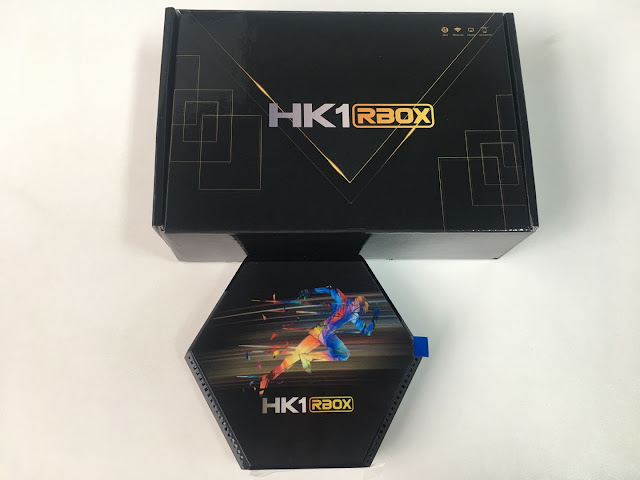
We have received another new android 11 os smart tv box HK1 RBOX R2 , equips with the latest Rockchip RK3566 SoC chip. The box is with optional RAM/ROM 4G 32GB/64GB, and 8G 64GB, dual wifi 2.4G/5G, that supports 1000M Ethernet.  Further more, HK1 RBOX R2 is designed with great speed and power, specially combined with LED lights that supports different lights mode and color. I will show you the lighting effect next blog, and you can also check our YouTube channel with videos.  Regarding its hardware and the new Rockchip RK3566, the box is with running storage of 8GB 4GB of DDR4 RAM that make it running faster than other boxes that we have seen so far. The HK1 RBOX R2 tv box comes with Android 11 that we can handle from the first moment with the small remote control included. We also take a video for the HK1 RBOX R2 RK3566 android box review! Welcome to subscribe our YouTube channels to get update and more detail information about android tv box!

How to Connect H96 Max RK3566 Tv Box Bluetooth Remote Control?

Image
2021 newest android 11 tv box h96 max RK3566 rockchip android box is packaged with bluetooth remote control, that support mouse mode with Gyros , Voice search and YouTube Shortcuts . Today, we will show you detail steps about how to connect bluetooth remote with h96 max 3566 box.  First, click Setting --- Remote accessories Then it will show looking for Bluetooth to connect, and we need to click both the "voice minus button   - " and OK button for 3 seconds. Note, need to click 2 buttons at the same time , otherwise it may only show voice down like the picture below. After got remote mac address, then click to Pair directly.  When Paired the remote with tv box, we can use voice search and mouse mode. We also take a video for the Bluetooth remote connect to h96 max rk3566 box tutorial on our YouTube channel, and the video also shows how mouse mode with Gyros and Voice search working!  Welcome to follow our official YouTube channel for android tv box news! Leave ...

H96 Max 3566 Android 11 TVBOX New Stock!

Image
The newest H96 Max 3566 Android 11 tv box, equipped with bluetooth remote control new stock arrives now!!  Make order now, ship immediately!!!  Website link: https://apkintvbox.com/product/android11-0-h96-max-3566-smart-tv-box/

X88 Pro 20 RK3566 Android Box Supports Languages List!

Image
The newest X88 pro 20 android 11 tv box is one of the most expected android tv box that equippes with RK3566  Rockchip for 2021.  We have updated videos about x88 pro 20 tv box works with Antutu Benchmark on YouTube , And have friends asked what languages it supports.  So today, we take screenshot of whole languages list that the rk3566 android box supports.  Check the following pictures for detail! Feel free to contact us, if any query about the x88 pro 20 RK3566  android tv box! WhatsApp: +86 176 8876 8267 Email: info@apkintvbox.com