Posts

Showing posts with the label smart iptv m3u

How to group m3u playlist of iptv smarters?

Image
All IPTV subscription channels list are grouped by countries, or news, sports, etc.. Recently, we have customers met this situation that all the channels mixed with 1 list of smart iptv, like the following pictures show: To solve this problem and make the channels listed in order, we just need to open the smart iptv link:  https://siptv.app/mylist/ , re-add iptv m3u playlist, and don't not click Disable Groups. Then the channel list will be back to normal. We offer iptv free trials, as well as solutions if you have channels problme with iptv. Feel free to contact us if any query about iptv subscription, or detail channels list. WhatsAapp/Skype/VIber: +86 176 8876 8267
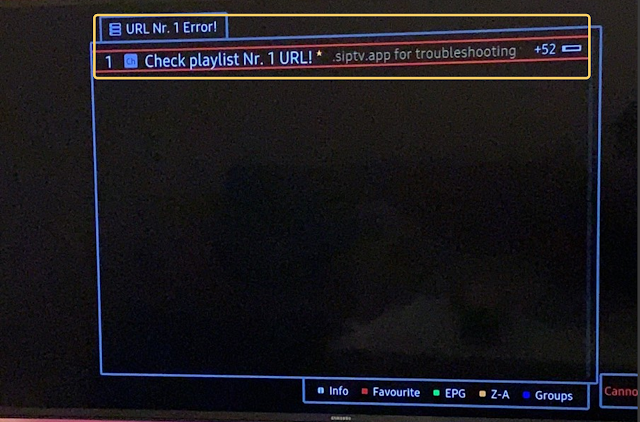
QHDTV m3u playlist loading failed with smart iptv?

Image
As we all know, QHDTV iptv is very popular for French, African, Arabic countries. And QHDTV apk works with android devices, meanwhile, it also have m3u file to work with smart iptv app. There is a chance that it shows loading channel list failed when open smart iptv app, like the picture shows below: It mean the m3u file connected failed with the iptv server, what we need to do is: First: Delete the m3u flle and turn off internet router for about 10 mins ; Then re-add the m3u playlist, and restart internet to try again, channels will be all ok. If you are interested in QHDTV channels, pls contact us to get free trial for detial: Email: info@apkintvbox.com WhatsApp/Skype/Viber: +86 176 8876 8267