Posts

Showing posts with the label MYIPTV4K

QHDTV BIGGEST DISCOUNT EVER!!

Image
To celebrate the Christmas and New Year holiday, we now offer the biggest discount ever for iptv subscriptions! Including QHDTV/QURTV, SUBTV/BMYTV, IUDTV/UKWTV, POPTV, Best HD, etc.. https://xtrixtv.net/product-category/subscription/ Click the link to find out your iptv subscription and renew directly! For example, now Qhdtv one year subscription only 38$!  And 4.99$ for Brazil TV Monthly subscription. Wish you guys Merry Christmas and Happy New Year! WhatsApp: +86 176 8876 8267 Feel free to contact us any time!

How to install Myiptv4k Apk on FibreMedia Box with USB Flash Disk?

Image
Can we install third-part apk on the new Singapore FibreMedia TU160 box? Today's video is about how to install myiptv4k apk on the box by USB Flash Disk, which is very easy. Check the vedio for details first now! Box detail introduction link: https://apkintvbox.com/product/newest... WhatsApp: +86 176 8876 8267 And we offer free trial first for Fibre TV channels now, feel free to contact us if you are interested in the FibreMeida TU160 Smart TV Box!

How to do when lost myiptv4k account password?

Image
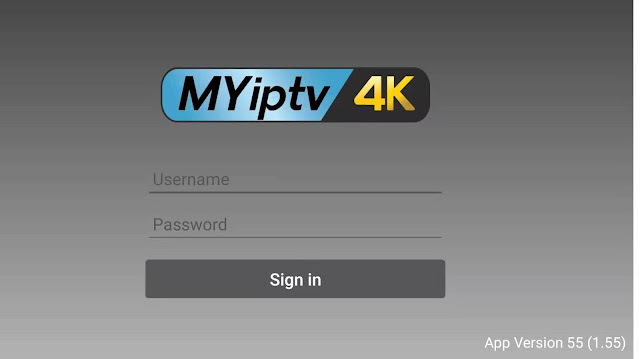
Myiptv4k apk works with android tv box, need to log in with username and password. Normally, you could register new account yourself and then input pincode to top up, or get account from iptv seller, and you could change new password. Since there is no email or phone number confimation to find back password, that need you keep a record of your account. If you forget your password, cannot log in, can only send your pincode to iptv seller to check the top up and reset your account to orginal password. Myiptv4k aims for Singapore, Malaysia, Indonesia and Chinese channels mainly, as well as movies and tv series, you could regist account to check detail channels list first if you are new user. Feel free to contact me if any query about myiptv4k iptv apk. Email: info@apkintvbox.com WhatsApp/Skype: +86 176 8876 8267

Myiptv4k change password and switch devices tutorial

Image

Myiptv4k Apk login lagging problem Solution

Image
Myiptv4k IPTV for Singapore Starhub, Malaysia Astro channels, now its latest apk already updated to 1.66 version. The newest apk version is not stable for now, most customers have login problems, that show ERROR 3, cannot log in with account. Since Myiptv4k apk requires android tv box for system version 7.1 and above. Now the most stable apk version is V1.55 . Click Here to install Myiptv4k apk directly.

How to check myiptv4k detail channel list without topup?

Image
Myiptv4k iptv is the most popular for Asia channels, including Singapore, Malaysia, Indonesia, China HK/Taiwan, Sports, News channels, as well as movies and tv series, with 4K HD high quanlity picture image. If you are interested in Myiptv4k subscription, but want to know what channels included, could follow the steps below to register an account for Myiptv4k apk, that you could check its detail channel list. First, open the link  https://myiptv12k.com/ , register a new account and could download Myiptv4k apk directly. (btw, myiptv4k apk only supports android system, you could use android box or android smart phone) Then, could log in with your new account with the apk, and you will get full channel list. Contact us freely for more detail information, if you want to subscribe! Email: info@apkintvbox.com  

Myiptv4k | How to change account password?

Image
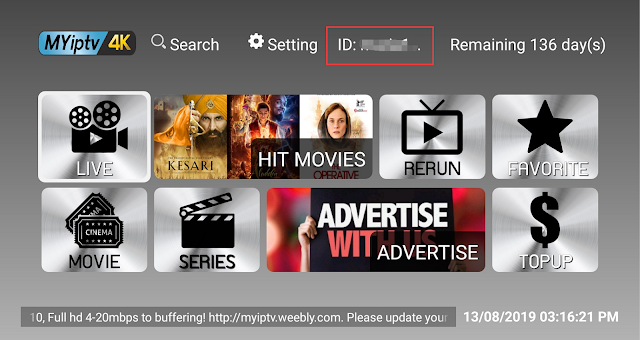
Myiptv4k is the best IPTV with Singapore starhub & Malaysian Astro, Indonesia and Chinese channels! Only need 2 steps to change account password: 1. Click ID after login your account: 2. Input new password and click Confirm. Then password changed successfully! Just need to logout and input new password. WhatsApp/Wechat: +86 176 8876 8267 Email: info@apkintvbox.com  Contact for discount of Myiptv4k subscription!

Myiptv4k apk latest version update

Myiptv4k iptv apk now updated to V1.46 version. Channels buffering and sometimes movies cannot watch on TV problem have been solved with new version apk. Click here to install latest version apk. For new users: 1. Please download new myiptv4k apk and install to your box. 2. Register your username and password at https://www.myiptv4k.com 3. Get your pincode from dealer and topup. Email: info@apkintvbox.com WhatsApp/Viber: +86 176 8876 8267 Contact us freely if any query about Myiptv4k. ​

IPTV Malaysia | MYIPTV4K vs Hao HD iptv apk

Image
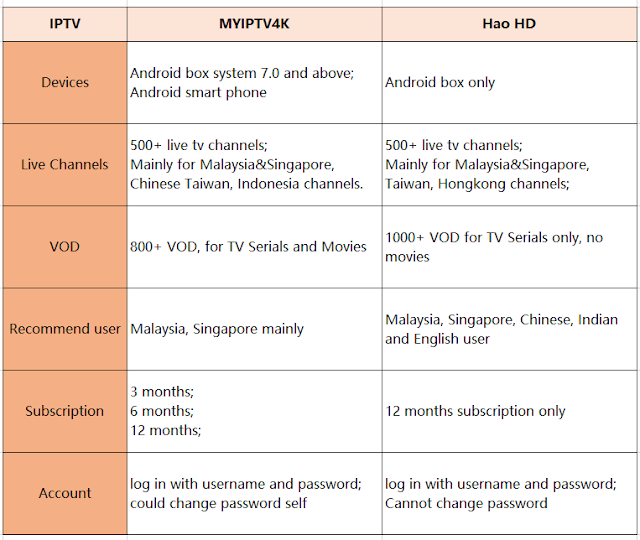
Myiptv4k and Hao HD iptv are both Aisa IPTV, and aims Malaysia&Singapore channels mainly. myiptv4k vs hao hd iptv We offer myiptv4k trial to check detail channels list. Email: info@apkintvbox.com WhatsApp/Skype/Viber: +86 176 8876 8267 Contact for more information.

MYIPTV4K Buffering and Log in Problem Solution

Image
Sometimes cannot log in MYIPTV4K account, or buffering when watch channels, to solve these problems, please follow the steps below to reset your network. 1.  Open your TV for the main page and click Setting; 2. Click Network and choose WIFI Setting; (If you use cable, choose the right one.) 3. Then choose your home wifi and click Advanced options; 4. Click IP Setting; choose STATIC; 5. Key in the IP address,     Reference:     unifi user key in [ 192.168.0.200 ] ,     Maxis Fiber or Streamyx or Time Fiber user key in [ 192.168.1.200 ] 6. Key in Gateway address ,     Reference :     Unifi user key in [ 192.168.0.1 ] ,     Maxis Fiber user key in [ 192.168.1.254 ] ,     Streamyx or Time Fiber user key in [ 192.168.1.1 ] 7. Key in Network prefix length [ 24 ]     If your screen is showing “Subnet Mask” , Kindly key in [ 255.255.255.0 ] 8. Key in ...

Can I Use MYIPTV4K on different box with same username&password?

Could install MYIPTV4K  apk on other box, but need to log out myiptv4k account first on the original box to sign in on new box. If you sign in same username and password on 2 boxes at the same time, would get your user ID blocked, please noted. For more information, please contact: Email: info@apkintvbox.com Skype: apkintvbox WhatsApp/Viber/WeChat: +8617688768267  

MYIPTV4K Collect Favorite Movies Tutorial

Image
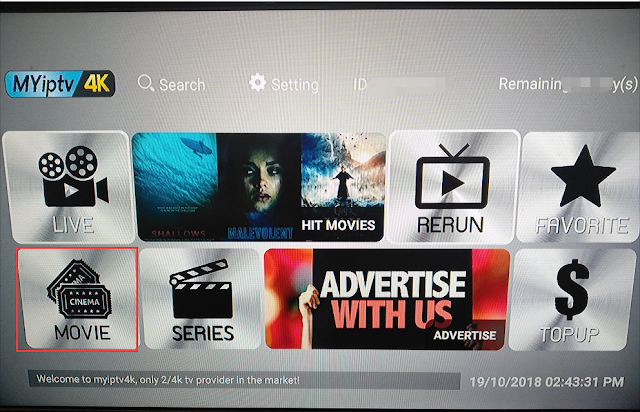
We could make a list to collect our favorite movies about myiptv4k apk. 1.  First, login myiptv4k account, click MOVIE and choose the movie you like; Here we choose   Leonardo‘s The Revenent,  by the way, I love this movie! 2. Then click the movie and choose to Add to Favourite; 3. Next return to the main page, and click FAVOURITE, you will see the movie just added; For your reference that MYIPTV4K cannot collect live tv channels. Contact us for myiptv4k trial. Email: info@apkintvbox.com Skype: apkintvbox WhatsApp/Viber/WeChat: +8617688768267